An accounts receivable aging report answers a practical question: how much money is still owed to the business, and how long has each unpaid balance been outstanding? A small company can explore the concept in a spreadsheet, but accuracy depends on more than sorting invoice dates. You need a clear reporting date, open balances after payments and credits, and a way to reconcile the total with your actual records. All numbers below are fictional teaching examples, not accounting advice.
Start with the difference between invoice age and days overdue
Invoice age measures time since an invoice was issued. Days overdue usually measures time since the agreed due date. A 60-day-old invoice with a 90-day payment term may be current. Do not label that invoice late just because it was issued two months ago.
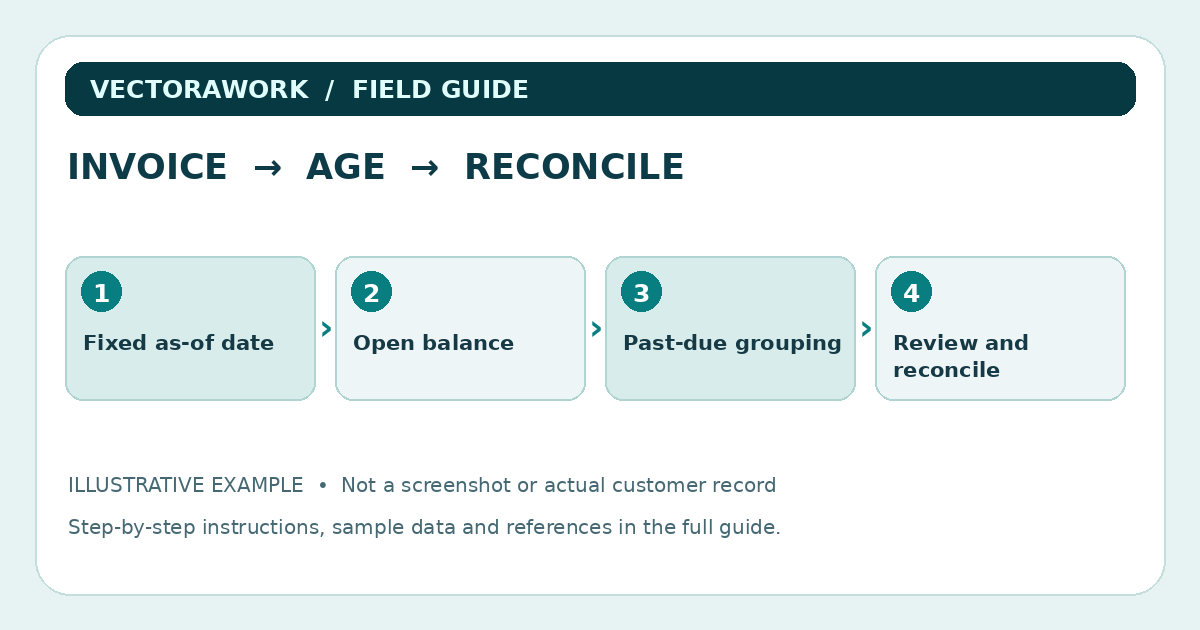
Use an as-of date that is visible on the report. For example, set the reporting date to October 1, 2026. A fixed date makes a past month's report reproducible. In Excel or Google Sheets, put the date into a cell, such as `L1`, and use that date in formulas. `TODAY()` is useful for a live view but can change when the workbook reopens; for a historical close, a fixed date avoids accidental movement between buckets.
Minimum columns for a reviewable report
Give each invoice one line with:
- Customer reference and unique invoice ID.
- Invoice date and due date as valid spreadsheet dates.
- Original amount, payments applied through the as-of date and credits applied through that date.
- Open balance, calculated from the amounts above.
- Days past due and the assigned aging bucket.
- Follow-up owner, status and next review date if the team uses the report operationally.
Keep currencies separate unless you have a documented currency-conversion policy. Do not add amounts denominated in USD and EUR into one grand total and label the result dollars. If you report across currencies, define an exchange-rate source and effective date, or show separate subtotals.
A fictional four-invoice example
Assume all amounts are USD, all transactions shown are valid through October 1, 2026, and there are no disputed credits other than those listed:
- Invoice INV-101, due September 26: original $600, payments $200, credits $0, open $400, 5 days overdue.
- Invoice INV-102, due August 15: original $350, payments $0, credits $0, open $350, 47 days overdue.
- Invoice INV-103, due June 30: original $500, payments $100, credits $0, open $400, 93 days overdue.
- Invoice INV-104, due October 20: original $800, payments $0, credits $0, open $800, current.
The total open balance is $1,950. Grouped by due-date status, the sample has Current $800, 1–30 days overdue $400, 31–60 days overdue $350, 61–90 days overdue $0 and 91+ days overdue $400. The sum of the buckets must equal $1,950. This equality is your first control, not proof that the source invoice ledger itself is correct.
Spreadsheet formulas with a fixed date
Suppose due date is in column C, original amount in D, payments in E and credits in F. Open balance in G2 is `=D2-E2-F2`. Days overdue in H2 can be `=IF(OR(C2="",G2<=0),"",MAX(0,$L$1-C2))`. Then I2 can assign the group:
`=IF(G2<=0,"Closed",IF(C2="","Needs due date",IF(C2>=$L$1,"Current",IF(H2<=30,"1-30",IF(H2<=60,"31-60",IF(H2<=90,"61-90","91+"))))))`
Enter L1 as a real date, not a text label. These formulas are illustrative for a simple single-currency dataset and need to be checked in the spreadsheet application you use. Some locales use semicolons rather than commas in formulas.
The distinction between 'Current' and '1–30' matters: an invoice due today is not yet past due in this approach. A formula that simply calculates `MAX(0,AsOf−DueDate)` without checking whether the due date has passed can blur those categories.
Reconcile the inputs before using the buckets
First check that the invoice list is complete for the selected date. Next, verify that payments and credits were posted through that date but do not include later transactions. Then compare the aging total with the accounts receivable control balance or another authoritative ledger report for the same as-of date. Differences may be caused by unapplied payments, duplicate invoices, currency conversions, write-offs or timing.
The IRS explains why accurate records matter for financial statements, tracking business progress and tax reporting. An aging worksheet is an operational aid; it does not replace a properly maintained ledger or professional accounting judgment.
Cases the simple formula does not solve
A partial payment requires an open-balance calculation, not just the original invoice amount. A credit note that is not linked to a specific invoice must be handled according to the accounting process. A disputed invoice should remain visible but may need a separate review state so the follow-up team knows not to treat it as an ordinary reminder. Credit balances should not silently cancel unrelated overdue amounts.
If an invoice has no due date, do not silently assign it to Current. Flag it for review. If a customer has multiple invoices, preserve invoice-level rows before producing any customer-level summary. A dashboard total alone cannot show which invoice generated a problem.
Turning the report into weekly action
Sort the report by status and then due date. Assign the first review to items that need data correction: blank due dates, negative open balances and mismatched totals. Next review invoices that require a documented customer follow-up. Log when an agreed reminder was sent, which invoice it referenced and any next action. Avoid automated messages that imply a legal collection right or penalty without checking the agreement and applicable law.
A practical weekly note can say `INV-102: confirm whether payment was received; check bank posting before contacting customer`. This is better than a generic high-priority label with no clear action. Keep customer contact information and unrelated sensitive details out of shared reports.
Validate your model with test cases
Build fictional records for an invoice paid in full, one partially paid, one future due date, one missing due date and one with a credit greater than its remaining balance. Check whether the aging groups make sense and whether the subtotals reconcile. Test the report with the as-of date moved back one month; the results should change in a predictable and documented way.
After the test, export a CSV and open it again. Check invoice IDs with leading zeros, date fields, currency fields and formulas that do not survive plain-text exports. For the export review process, see our CSV acceptance testing guide. For broader record organization, see our monthly bookkeeping workflow.
Download the invented invoice dataset: AR aging example CSV. The workbook logic is explained above; CSV itself stores values, not formulas.
A practical review checklist
- Does every invoice have a unique reference and a valid due date?
- Are payments and credits included only through the fixed reporting date?
- Does the invoice-level open balance reconcile to the correct control total?
- Are Current, 1–30, 31–60, 61–90 and 91+ overdue amounts separate?
- Are disputed, missing-data and credit-balance items flagged for human review?
The value of an aging report is not its color coding. It is the disciplined chain from source invoice, to open balance, to as-of-date bucket, to a transparent next action.
Practical takeaway
Use a fixed as-of date, calculate actual unpaid balances, separate current from overdue invoices, and reconcile bucket totals to source records.
Sources and further reading
External references relevant to this guide. We encourage you to check current primary documentation.
Published by VectoraWork Editorial. This is general educational information, not individualized legal, tax, financial, employment or security advice. Request a correction.