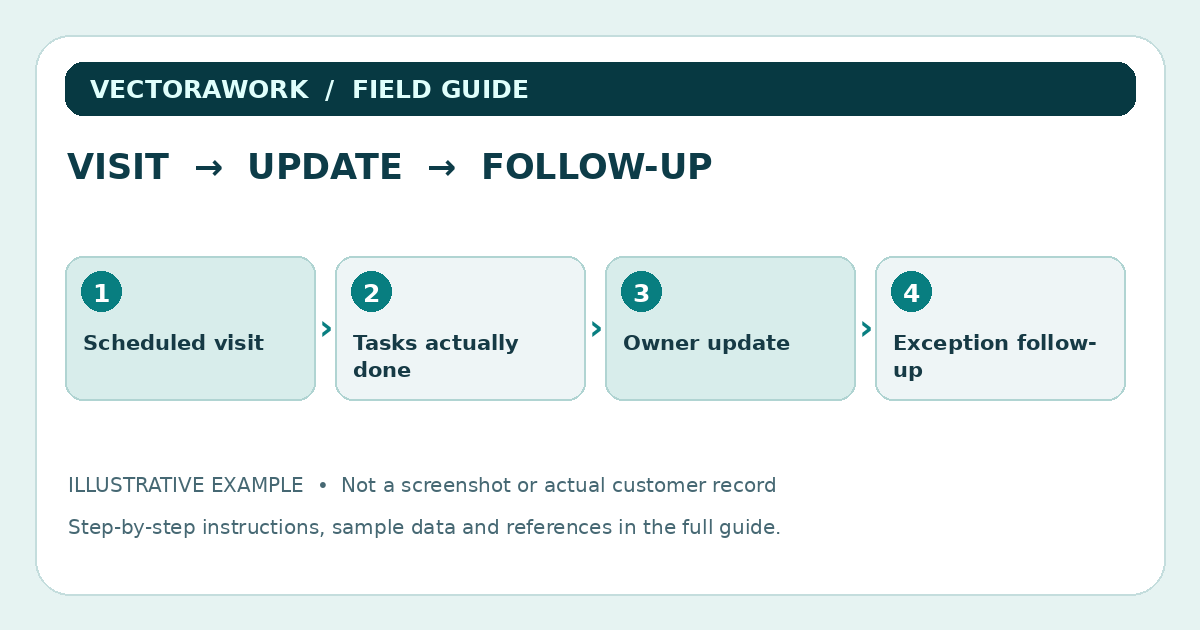
A useful pet sitting visit report is not a wall of text. It should tell the pet owner that the agreed visit occurred, what was done, whether anything unusual happened and whether a follow-up is needed. The sitter also needs a more detailed internal note when an unresolved issue requires attention. This guide separates those two jobs and uses a wholly fictional visit; it does not contain veterinary recommendations.
Two audiences, two levels of detail
An owner checking a phone between meetings usually wants a short, reassuring update. The sitter operating the business needs an accurate record that can be found the following week. Trying to make one public-facing message do everything often causes unnecessary detail or missing operational information.
Consider an owner update containing the visit window, completed agreed tasks, observations and the next action. An internal service note can hold booking reference, the staff member assigned, agreed scope, report delivery status and follow-up responsibility. Private access details should not be repeated in routine customer messages.
Pet Sitters International includes daily visit report cards and emailed visit updates among practical ways pet sitters can educate and communicate with clients. That is useful context for why the report exists, not a mandate that every sitter adopt a specific format.
The owner-facing fields
Begin with the smallest set of useful information:
- Pet's preferred name and a non-sensitive visit identifier.
- Date, arrival and departure time if these are part of the agreed service.
- Agreed tasks completed, such as fresh water, an approved walk or feeding according to instructions.
- Neutral behavioral observations, without unsupported medical conclusions.
- Anything different from the usual routine, clearly marked as observation rather than diagnosis.
- Whether the sitter needs a response and the next scheduled visit, if confirmed.
Do not write 'all medications administered' unless that activity was authorized, actually performed and recorded accurately. If medication instructions or health observations are involved, follow the owner's agreed protocol and the relevant professional advice; do not infer a treatment from a checklist.
Fictional example: the 12:30 visit
A fictional dog, Maple, has a scheduled midday visit from 12:30 to 1:00 p.m. The agreed tasks are water refresh, a short outdoor walk and a check that the door is secured at departure. The sitter records arrival at 12:32 and departure at 12:59. The walk is completed and water refreshed. Maple eats no treats during the visit because treats were not part of the client's instructions.
The customer message might say: “Maple's midday visit is complete. We refreshed the water, took the agreed walk and secured the door on departure. Maple appeared interested in play and settled before we left. The next visit is booked for tomorrow at 12:30 p.m. Please reply if you want to change the routine.” This is an illustrative message, not an actual client update.
Notice what it does not include: an access code, the owner's travel schedule, unnecessary photographs of the home, or a guess about the animal's health. A real report should never promise that a pet is medically well based on a brief visual observation.
When an issue needs escalation
Not every visit is routine. A sitter may find that a pet has not eaten, a gate is open, or a requested task cannot be completed safely. The report should distinguish an observation from the response taken and the person contacted. Set out the appropriate client-agreed emergency and escalation instructions during intake, before a visit occurs.
For example: `Observation: water bowl empty on arrival`; `Action: refilled according to visit plan`; `Follow-up: no additional response requested`. If there is an urgent health or safety concern, follow the authorized emergency plan and appropriate professional guidance rather than waiting to decorate a report.
Avoid using an article as a substitute for veterinary triage. The goal here is operational clarity: what the sitter observed, what actions were authorized and who is responsible for follow-up.
Photos: useful but not always necessary
A picture of a pet relaxing can help an owner connect with the visit. It can also unintentionally reveal a security system, location details, children's belongings or a visible door code. Ask the client about photo permission, frame images deliberately and respect any no-photo preference. Store reports and attachments only for the period justified by the business's actual needs and applicable requirements.
Photos should support a true report, not be used as evidence that a task occurred when it did not. A photo from last week's visit should never be presented as today's update.
Build the internal handoff record
For a business where visits are covered by more than one sitter, a short handoff record is particularly valuable. Include booking ID, completed/not completed tasks, differences from the planned routine and the next action owner. If one visit is cancelled, mark it as cancelled; do not fabricate a completion report to keep the dashboard looking tidy.
Keep client communication separate from access instructions. A worker assigned to tomorrow's visit may need a secure method of accessing approved instructions but not a public report containing home entry details. If you choose an app, verify its actual access controls and export functions with fictional test accounts.
Test the reporting flow with sample records
Create three invented visits: an ordinary completed visit, a partially completed task, and a cancelled visit. Write the owner update for each and then check the internal activity log. Ask a second person to identify which visit still requires action. If they cannot answer, the report needs a clearer status or follow-up field.
Time how long it takes to prepare the update, but label the measurement as your own trial rather than an industry benchmark. Try a phone-sized screen and a long pet name. Confirm whether the message can be read without horizontal scrolling and whether links open properly.
Report delivery and retention
Document whether the customer prefers email, a client portal or an agreed messaging channel. Do not automatically send the entire internal job record to every contact on a booking. Decide who receives a visit summary, how corrections are handled and how the business can correct a mistake. In a shared household, confirm that a recipient is authorized rather than assuming every email address should see visit history.
A helpful record retention note identifies the information kept, its operational purpose, who can access it and when it is removed. The exact schedule depends on local requirements and contracts; there is no universal pet sitting report retention period supplied by this guide.
Download the invented example data: Pet sitting visit report CSV. All pet and client details are fictional.
A reusable visit report checklist
- Confirm the booked visit and record what actually happened.
- Check tasks against the specific owner's instructions, not a generic care assumption.
- Communicate observations in neutral, non-medical language.
- Record deviations and assign follow-up where needed.
- Review recipient permissions and avoid exposing access details or unrelated personal data.
- Make a correction process available if the report contains an error.
For earlier steps in the workflow, see our pet sitting intake checklist. VectoraWork also offers optional pet business tools, but a well-written report is useful whether your business uses paper, a spreadsheet or software.
Practical takeaway
Use a concise owner-facing update plus a restricted internal note. Confirm completed tasks, deviations, and ownership of the next action without sharing sensitive access details.
Sources and further reading
External references relevant to this guide. We encourage you to check current primary documentation.
Published by VectoraWork Editorial. This is general educational information, not individualized legal, tax, financial, employment or security advice. Request a correction.