A forgotten clock-out can look like a minor inconvenience until someone has to explain how a payroll total was calculated. The most useful correction log does not simply replace the old number. It records what was reported, what evidence supported the change, who checked it, and how the final hours were reflected in payroll. This guide offers an operational example for a fictional four-person service team. It is not legal advice or a claim that one form satisfies every state or federal requirement.
Start with the requirement that actually matters
For covered, nonexempt US employees, the Department of Labor identifies accurate daily and weekly hours among the records employers must maintain. The Fair Labor Standards Act does not prescribe a single timekeeping form. In other words, a polished app or a signed correction slip is not a substitute for accurate records. Pay rules, meal breaks and other requirements may vary with the job and jurisdiction; confirm those separately rather than inferring them from this sample log.
A correction workflow should answer two different questions: What hours did the person actually work? And what changed in the record and why? Keeping those distinct reduces the risk of treating a supervisor's guess as a verified clock time.
The eight fields that make a correction understandable
Use a small set of columns rather than a long narrative nobody will maintain:
- Employee reference and work date, using the minimum personal data required.
- Pay-period reference so the adjustment can be located later.
- Original time entry or an explicit note that an entry was missing.
- Proposed corrected entry and total-hours impact.
- Reason code and short plain-English explanation.
- Source of the proposed correction, such as the employee's statement and a contemporaneous schedule; distinguish evidence from assumptions.
- Employee confirmation where appropriate, reviewer and decision date.
- Payroll follow-up status if the correction affects a period already processed.
Avoid storing social security numbers or other unnecessary sensitive identifiers in a shared correction spreadsheet. Use a controlled employee ID and restrict access to the underlying payroll and personnel records.
A fictional missed-punch example
Imagine that employee E-104 was scheduled from 9:00 a.m. to 5:00 p.m. on a Tuesday. The system recorded the 9:02 a.m. arrival but no departure time. The schedule is a starting clue, not proof that the employee worked until 5:00 p.m.
The employee reports leaving at 5:18 p.m. after closing a customer ticket. The reviewer checks the employee's explanation and available operational records, asks clarifying questions, then records the departure as 5:18 p.m. if that time is supported. The log identifies the original entry as missing, the proposed correction as 5:18 p.m., the reason as 'missed punch', and the reviewer as supervisor S-02. It includes the decision date and references the pay period. The resulting hours calculation must account for any actual unpaid break, rather than automatically subtracting one.
This is not a rule that customer tickets always prove working time. It illustrates documenting the basis for a decision. If records conflict, retain the unresolved issue and investigate; do not quietly invent a precise time.
Write changes as a record, not an overwrite
A useful log keeps the original value and a new corrected value. If your tool cannot preserve history, record the before-and-after details in a separate restricted change log. The point is not to make every adjustment cumbersome. It is to make an explanation possible months later, when the person reviewing the pay period was not present for the original event.
For example, record `Entry before: Out punch missing` and `Entry after: 5:18 PM`, followed by `Reason: missed punch; employee statement reviewed`. Also record the actual date the change was made. Do not backdate an edit to make it appear to have occurred on the workday itself.
Separate employee statements, review and payroll adjustment
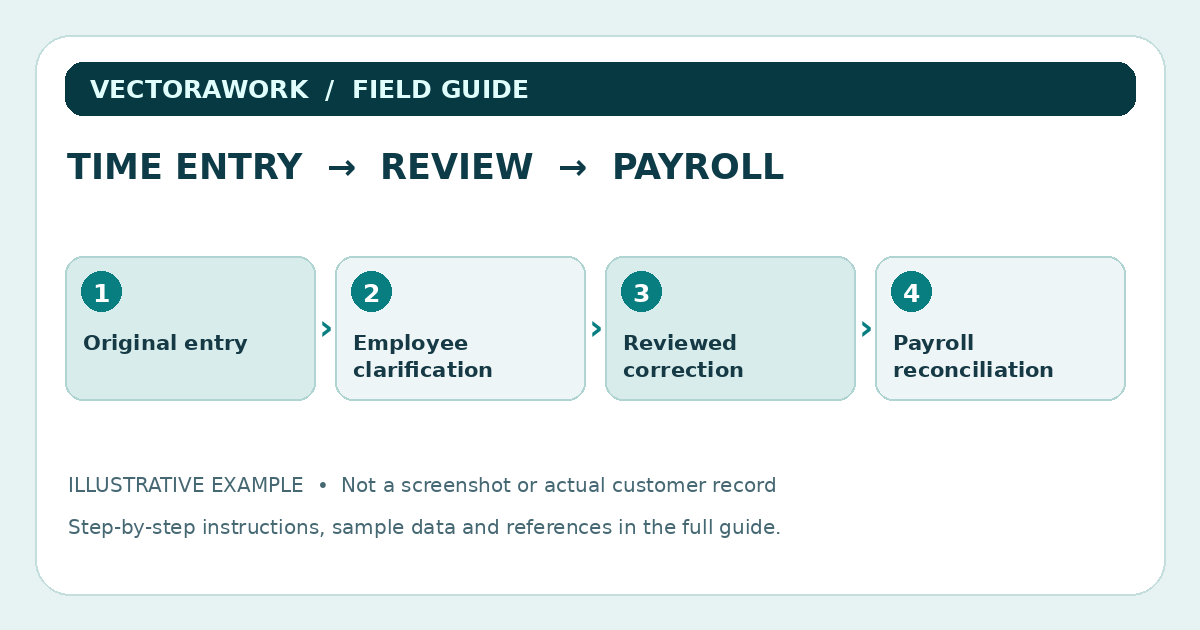
An employee's submitted correction, a supervisor's approval, and payroll processing are three different events. They should not be represented as one ambiguous 'completed' checkbox. One small team might use states such as Submitted, Needs Clarification, Verified, Sent to Payroll and Closed. A log can contain the dates of those steps without requiring complicated enterprise software.
If the original pay period is already closed, note what adjustment process is being used and who is responsible for it. Do not presume that any particular pay practice, rounding rule or delay is permissible. Confirm the applicable requirements for the jurisdiction and type of worker before finalizing the procedure.
How to test the log before using real records
Create three imaginary corrections. The first is a missing clock-out. The second changes an incorrect start time. The third changes the workday but must not create duplicate hours. Ask someone unfamiliar with the sample to answer: Which value was originally recorded? Which value is now used? Who decided? What happened to payroll? If those answers require private chat messages, the record design needs improvement.
A useful negative test is to attempt to submit a correction with no work date or explanation. The form should clearly flag the missing information. Test who can see employee data, what is available on export and whether a saved change survives an approved backup-and-restore procedure. If an app offers roles or edit history, verify these functions in the actual purchased edition; do not assume they exist from a dashboard screenshot.
Weekly reconciliation is more important than a beautiful template
At the end of each week, compare open corrections with the attendance totals used for payroll. Check for duplicate adjustments, entries with no reviewer, changes submitted after the pay-period cutoff and discrepancies between approved hours and exported totals. Keep the workflow realistic: someone must own the queue, and unresolved corrections need an escalation path.
A small sample reconciliation sheet can have the columns `Correction ID`, `Work date`, `Review status`, `Hours affected`, `Payroll period`, and `Follow-up owner`. Do not put confidential medical reasons or detailed personal circumstances into the explanation column where an ordinary attendance note would suffice.
What a correction log cannot guarantee
A correction log is an aid to documentation, not an automatic compliance certificate. The Department of Labor's recordkeeping guidance describes records employers must retain, including rules about retention periods, but a business must still determine which requirements apply to it. State wage-and-hour rules can add obligations beyond the federal baseline.
For a reproducible test, download or recreate the fictional E-104 scenario, record the change, then have a second reviewer independently follow the evidence trail. A reader should be able to reproduce the process without purchasing anything. If you need broader workflow guidance, see our employee attendance and PTO guide or evaluate the HR Management tools separately.
Download the invented example data: Timecard correction sample CSV. Do not put real payroll data into shared training files.
A short review checklist
- Can the reviewer see the original record, change and reason without guessing?
- Is the corrected total based on credible information about hours actually worked?
- Are approval, payroll update and record-retention responsibilities explicit?
- Can access be restricted and sensitive details kept out of widely shared exports?
- Can another person reproduce the outcome from a fictional sample?
The best log is the smallest one that supports accurate work-hour records and a defensible review process. Start with a controlled sample, verify the procedures against applicable requirements, and only then place real employees into the system.
Practical takeaway
Retain original and corrected values, record the reason and reviewer, then reconcile corrections with the actual payroll record.
Sources and further reading
External references relevant to this guide. We encourage you to check current primary documentation.
Published by VectoraWork Editorial. This is general educational information, not individualized legal, tax, financial, employment or security advice. Request a correction.