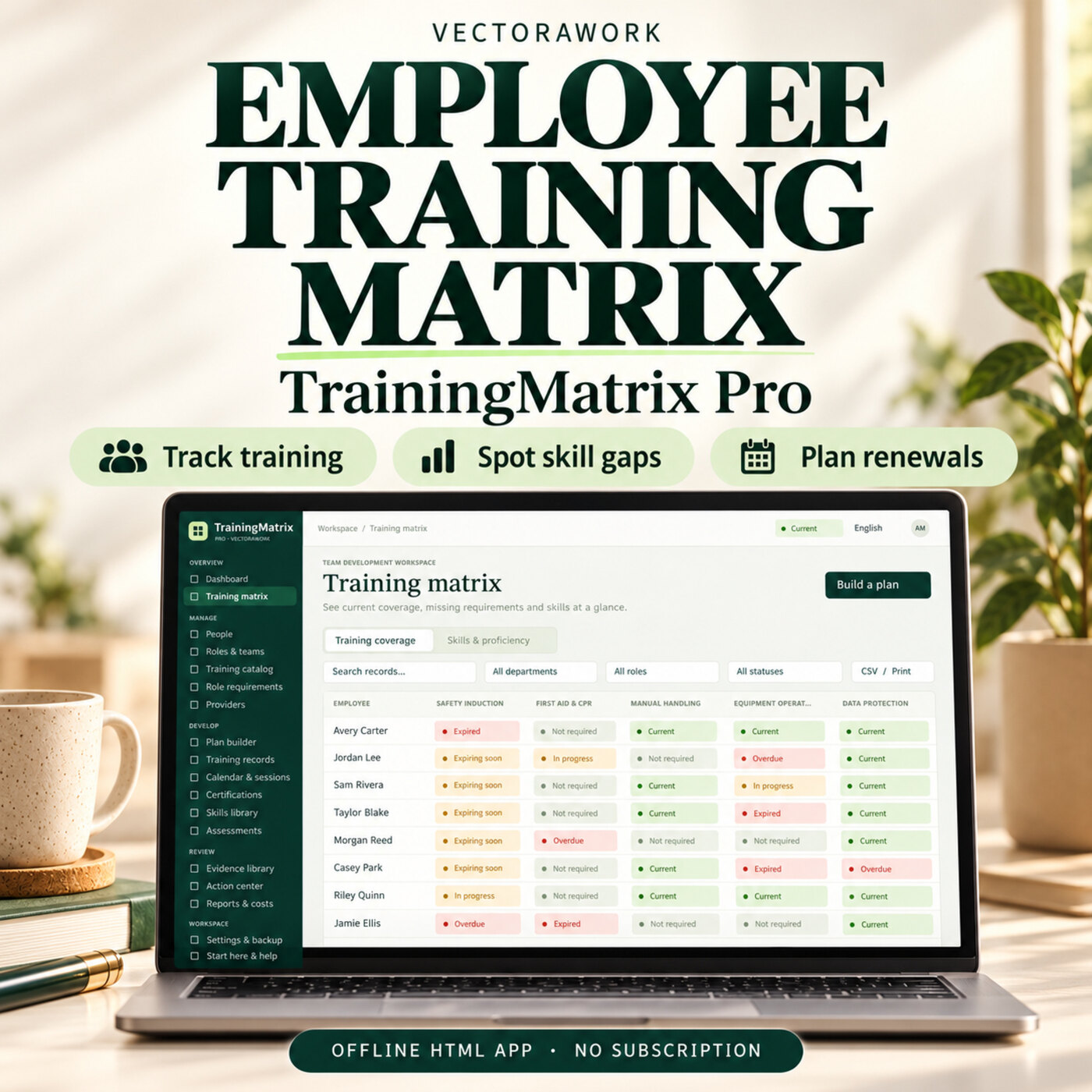
People & HREmployee Training Matrix Software - TrainingMatrix Pro
Track employee training, certificate renewals and skill gaps in one offline HTML app. Plan role-based training and review your team with clear reports.
Offline HTML AppDetails →
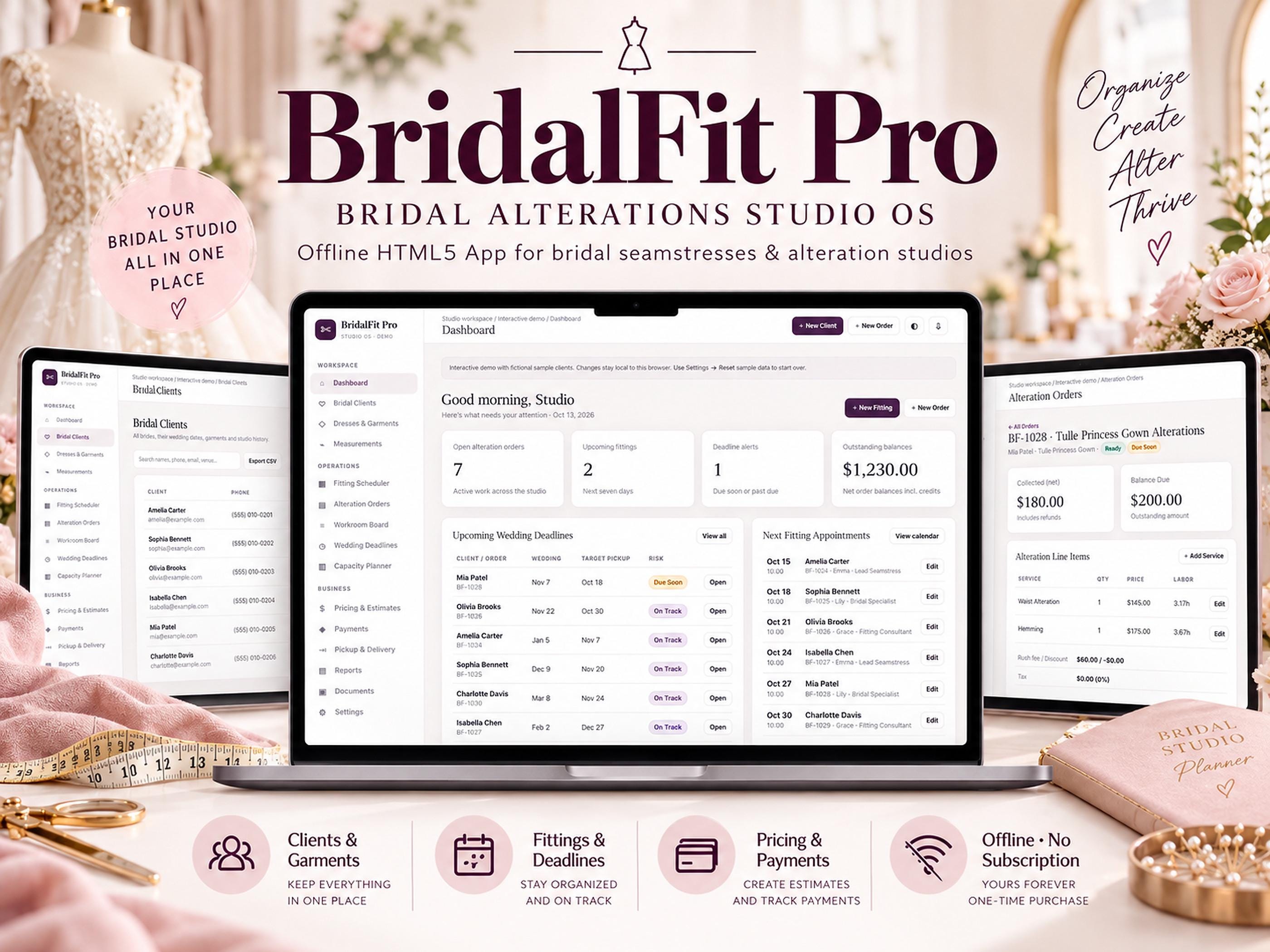
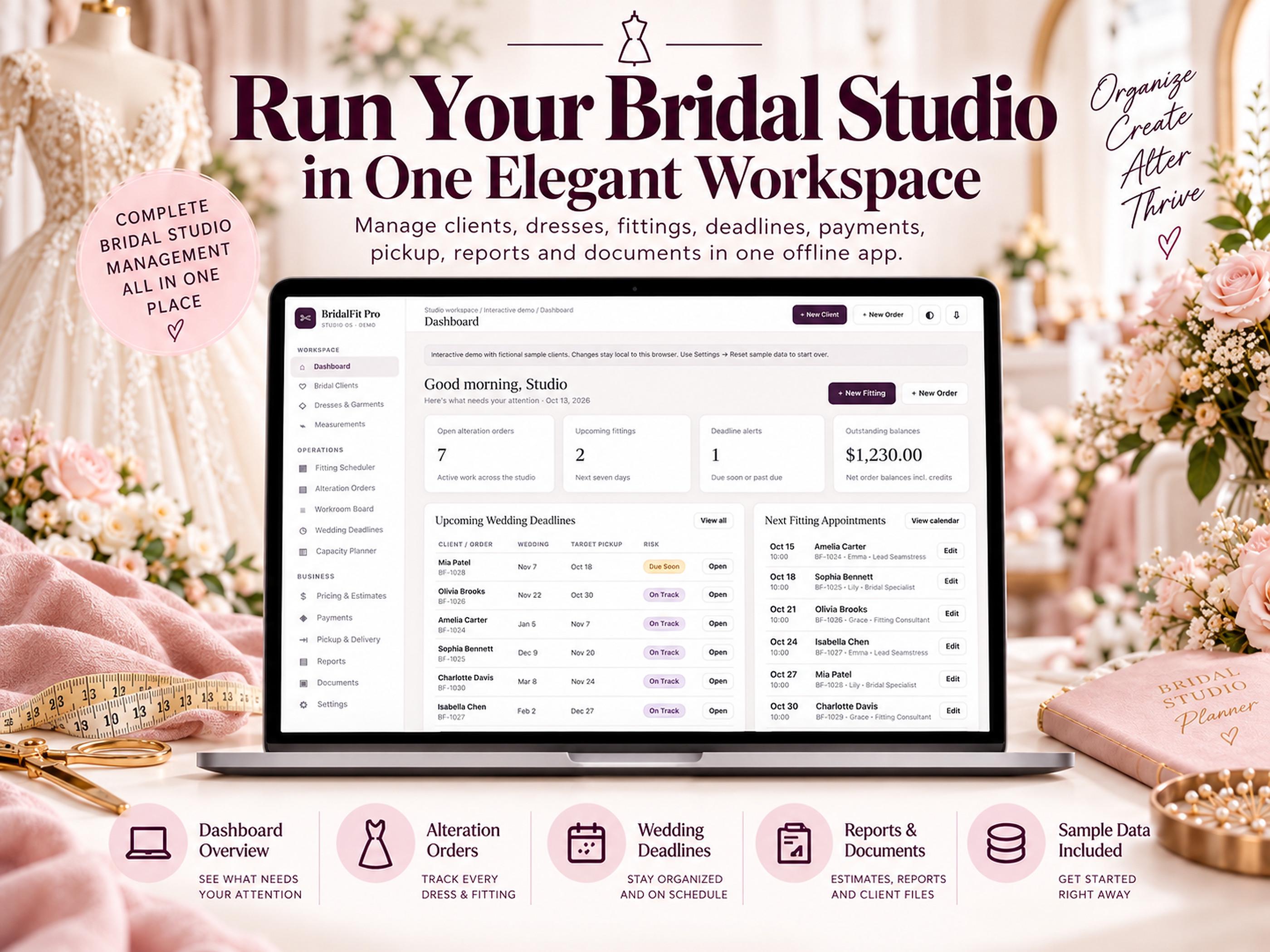
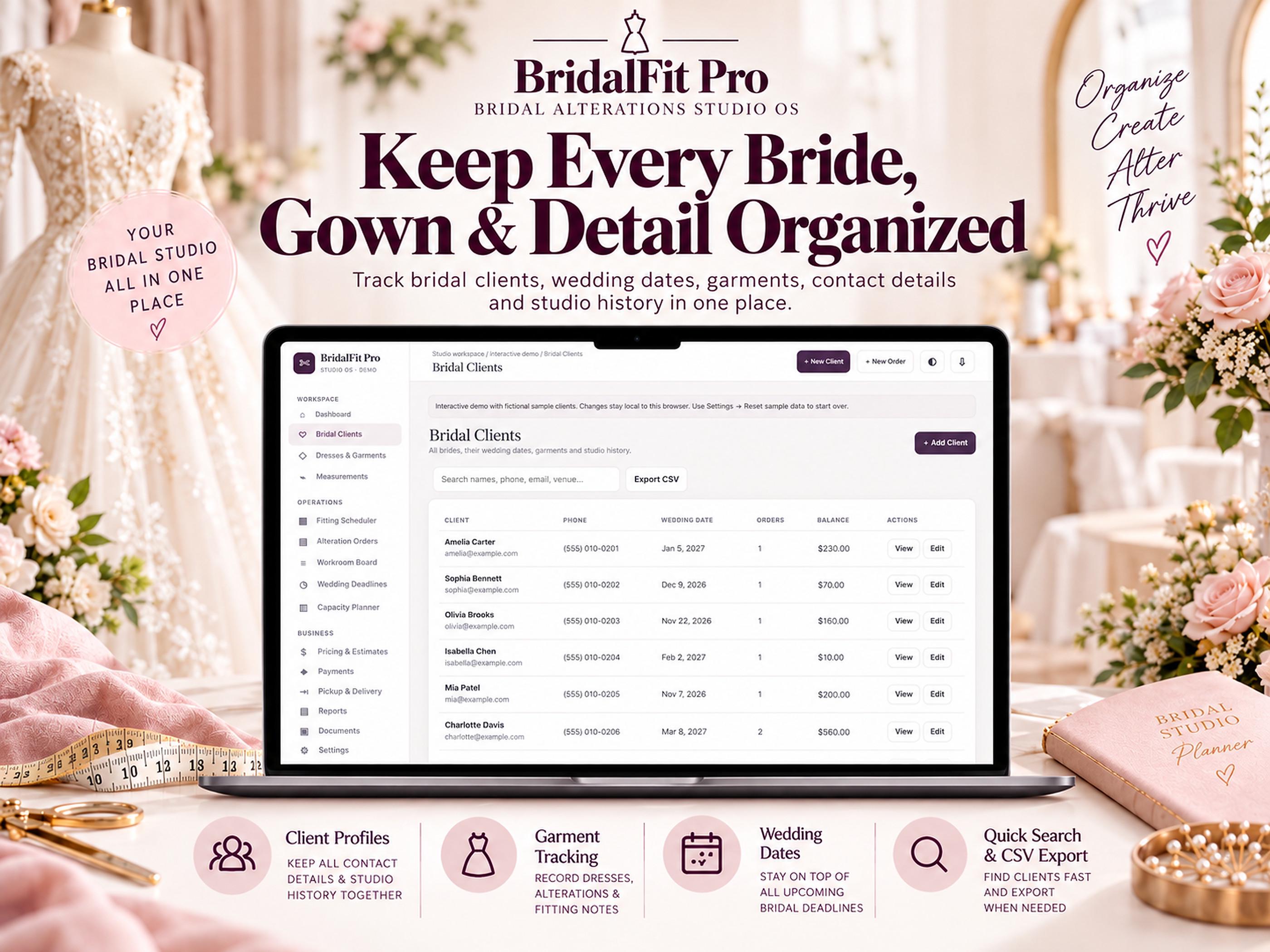
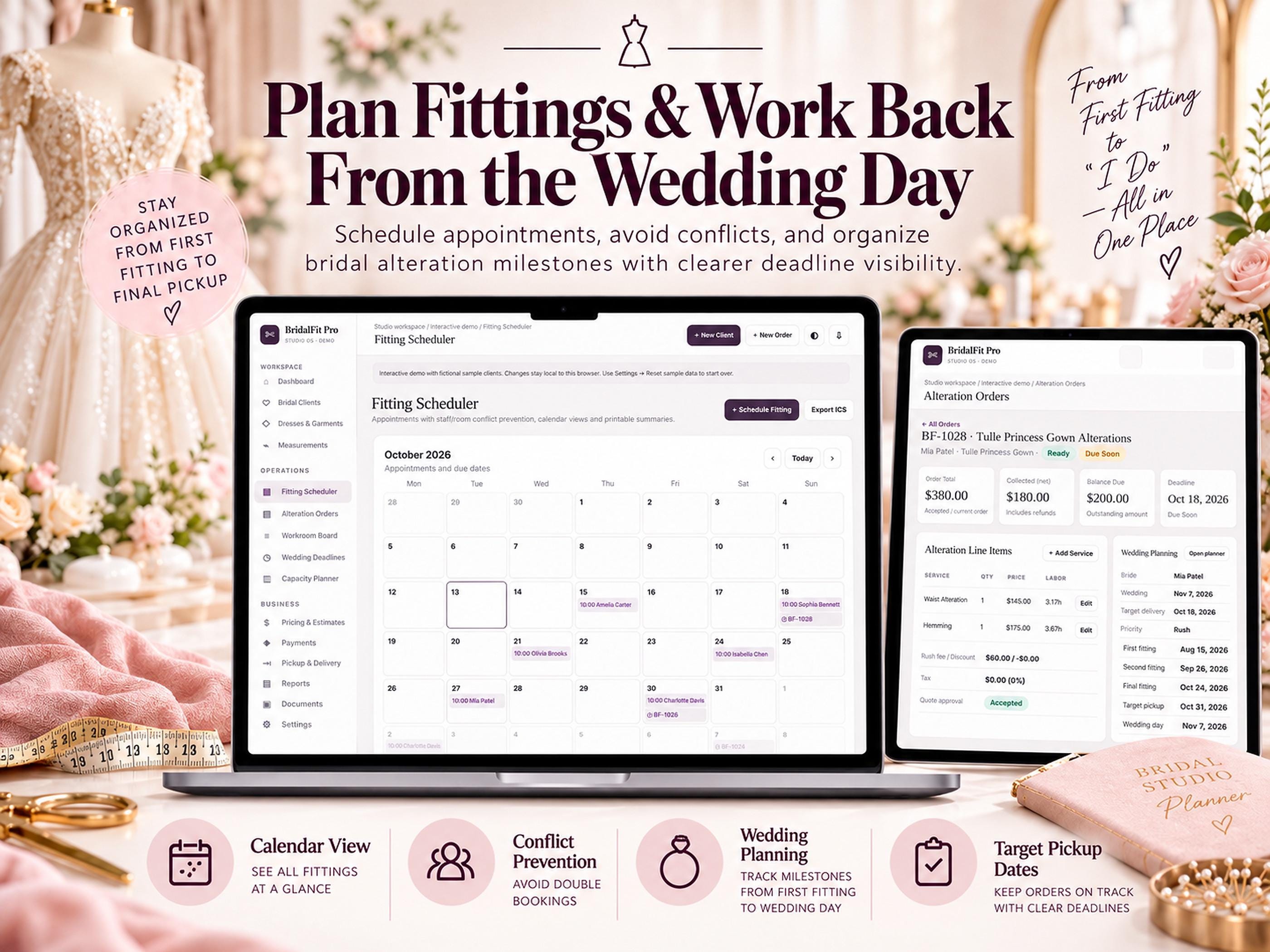
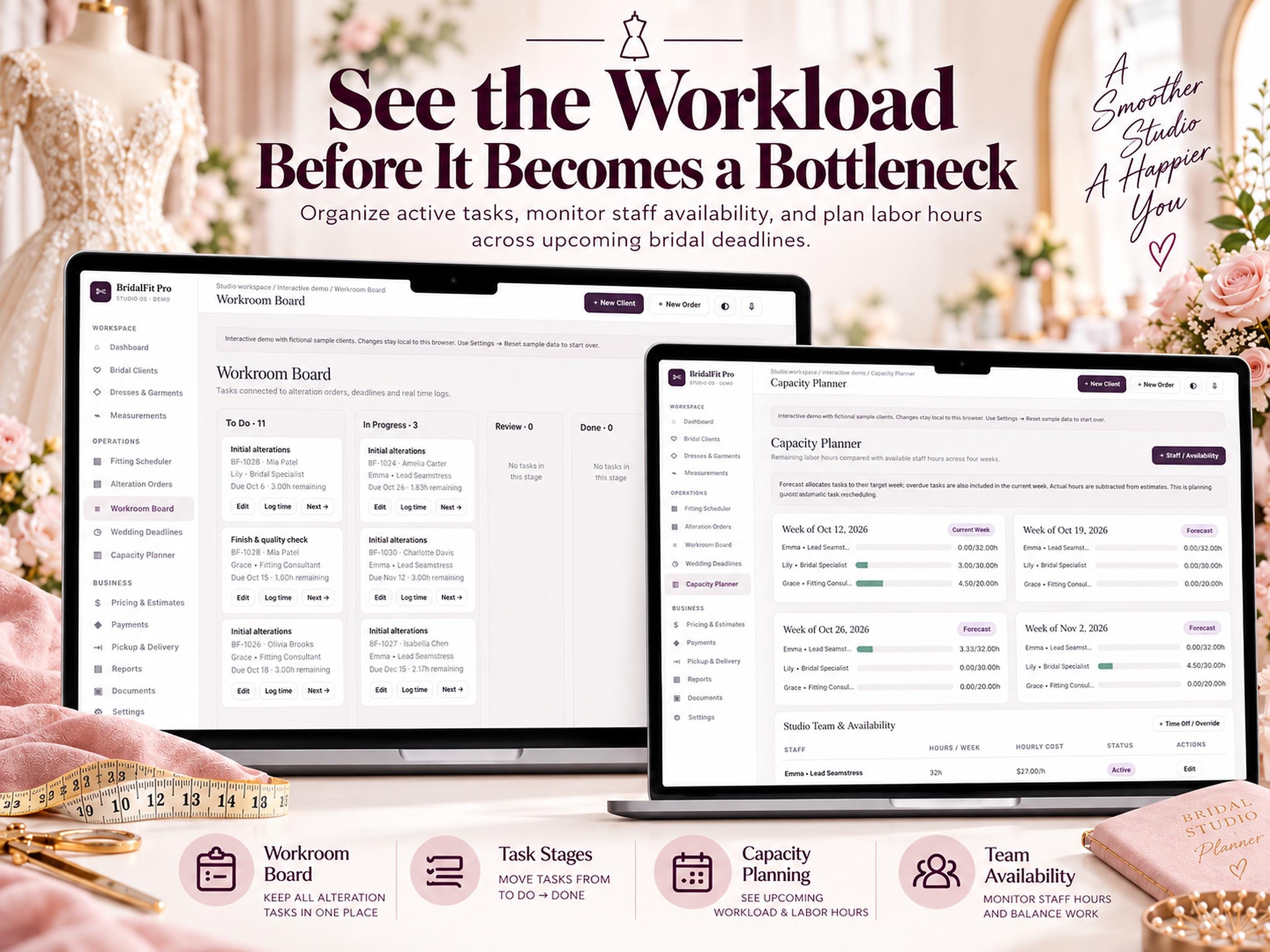
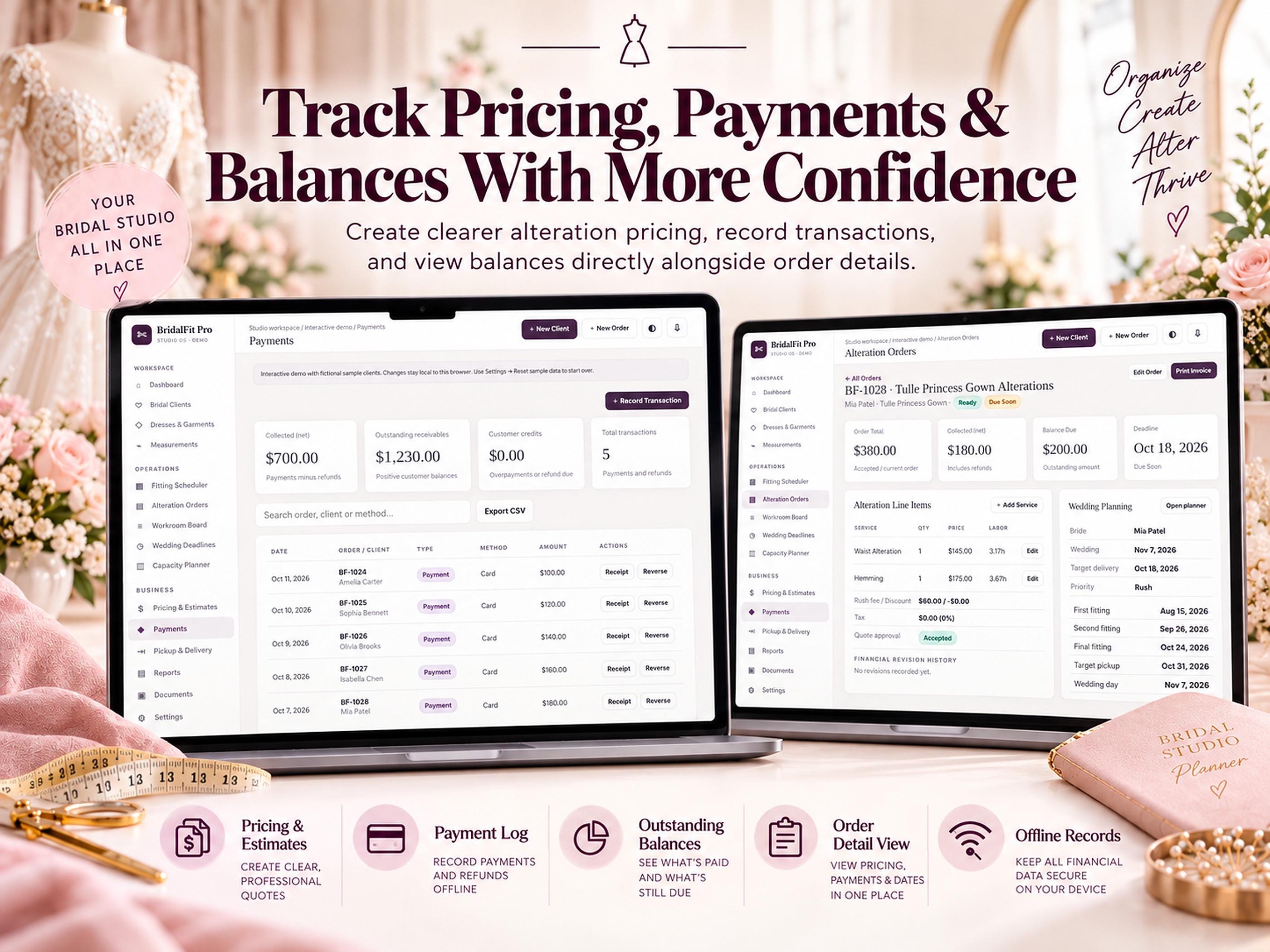
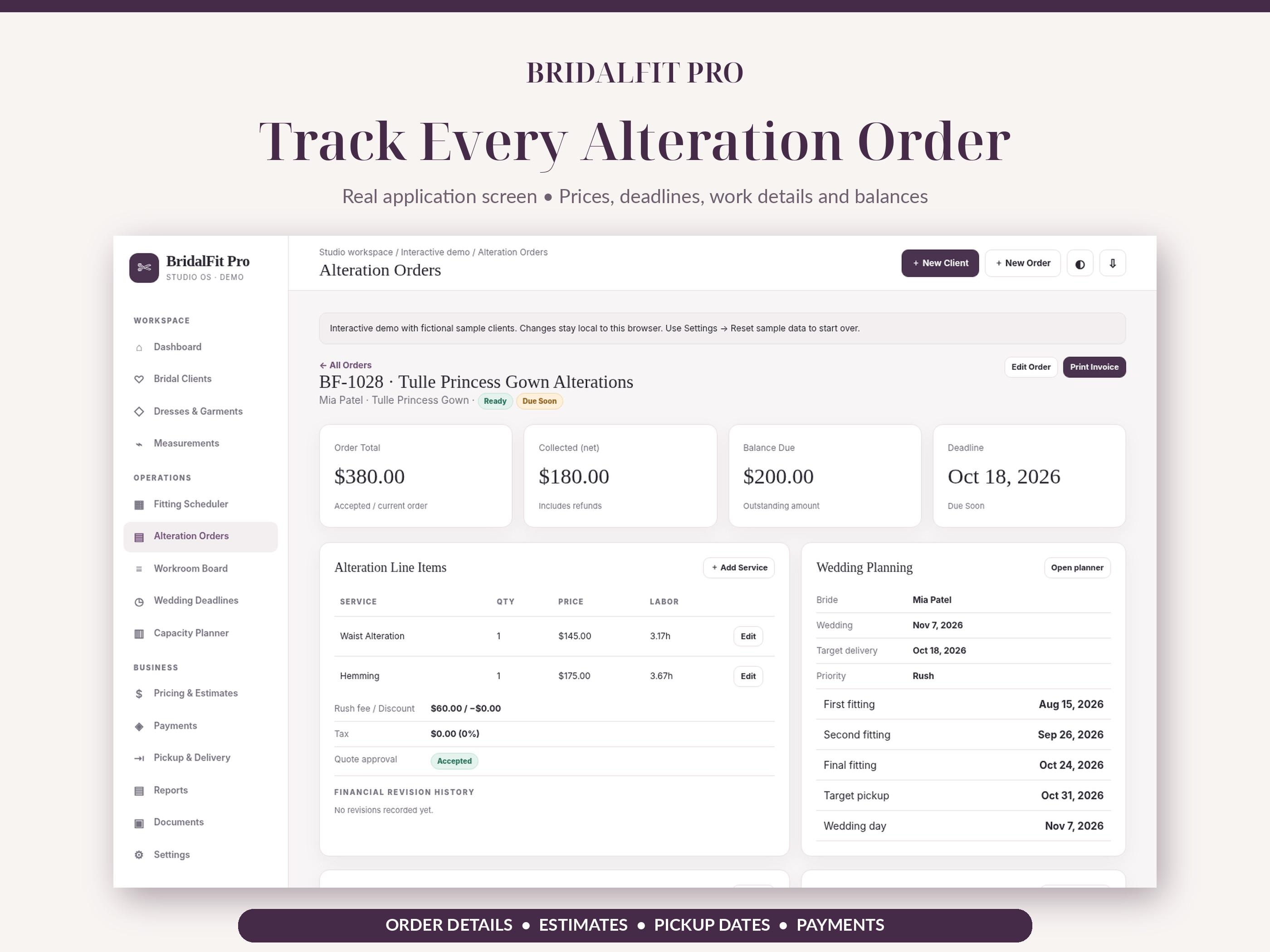
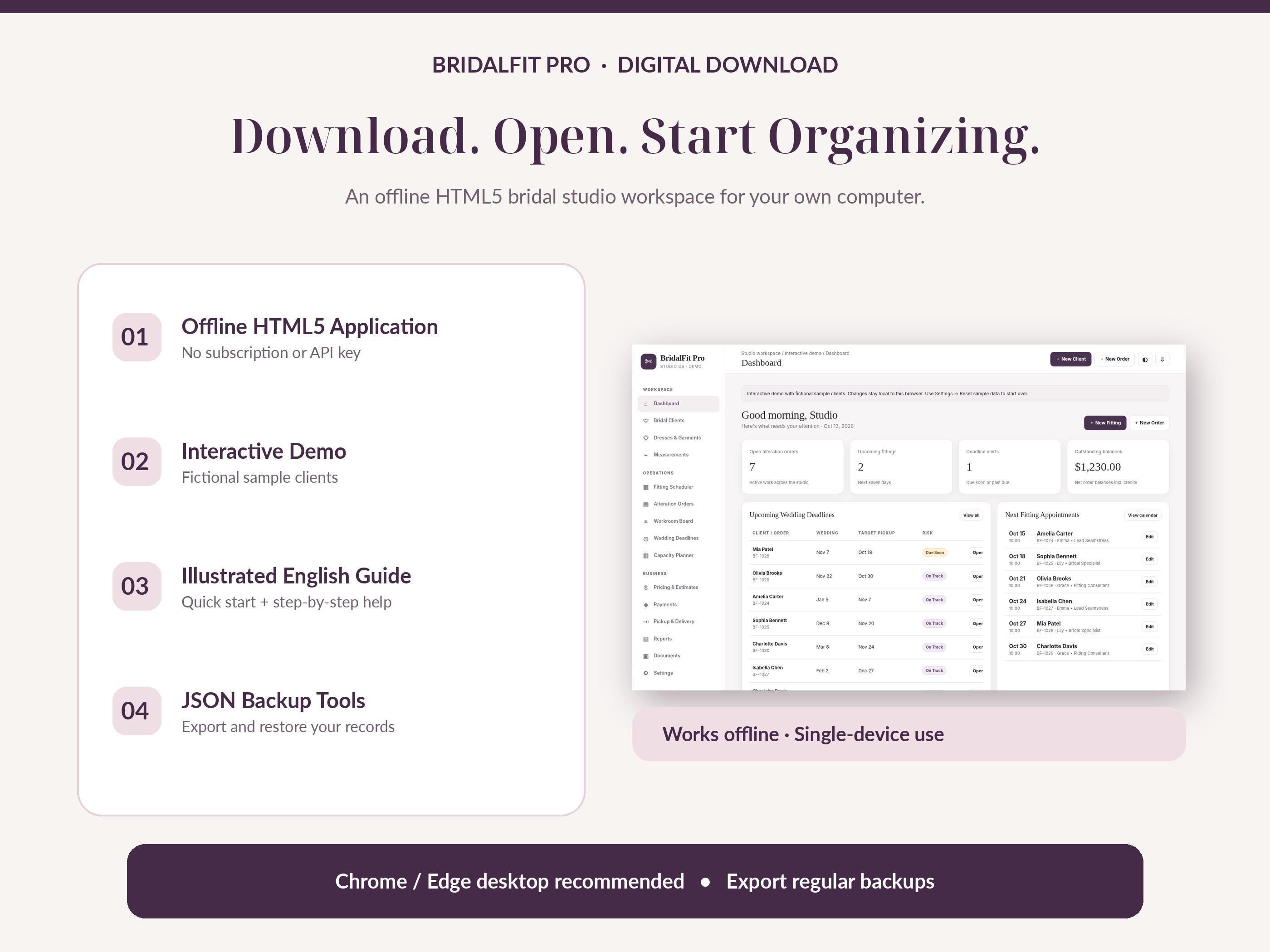
Images are promotional previews from the Etsy listing. Review the current Etsy listing for included files and specifications.
BRIDAL ALTERATIONS STUDIO SOFTWARE — NO SUBSCRIPTION From first fitting to final pickup, BridalFit Pro gives independent bridal seamstresses and small wedding dress alterations studios one organized, offline HTML5 workspace.
Purchases and order support are handled on Etsy. VectoraWork.com does not accept payments or deliver Etsy orders.
BRIDAL ALTERATIONS STUDIO SOFTWARE — NO SUBSCRIPTION
From first fitting to final pickup, BridalFit Pro gives independent bridal seamstresses and small wedding dress alterations studios one organized, offline HTML5 workspace. Manage brides, gowns, fitting appointments, alteration orders, labor time, estimated prices, deposits and delivery checklists without paying a monthly fee.
★ DESIGNED FOR BRIDAL ALTERATIONS Unlike a generic spreadsheet or printable form, this is a standalone interactive HTML application. Information is linked across customer, garment, fitting, order and payment records. Use a modern desktop browser, not Excel, Google Sheets or Canva.
WHAT YOU CAN MANAGE: • Dashboard — upcoming fittings, approaching deadlines, open orders and balances. • Bridal Clients — names, wedding dates, contact details, client history. • Dresses & Garments — designers, styles, fabric notes and garment details. • Measurements — dated measurement records and fitting history; inches/cm display. • Fitting Scheduler — appointments, calendar and staff/room overlap checks. • Alteration Orders — service lines, estimates, priority, target pickup dates. • Workroom Board — alteration tasks and time logs from To Do to Done. • Wedding Deadlines — configurable milestone suggestions before wedding day. • Capacity Planner — estimated labor workload versus staff availability. • Pricing & Payments — deposits, payments, refunds and outstanding balances. • Pickup & Delivery — completion checklist and garment handover record. • Reports & Documents — offline summaries, CSV exports and printable forms. • Settings — studio preferences, light/dark theme and backup tools.
YOUR INSTANT DOWNLOAD INCLUDES: 1 × BridalFit Pro v1.0.1 HTML application 1 × Interactive demo HTML application with fictional sample records 1 × Illustrated English PDF user guide 1 × START HERE PDF quick-start guide Release / upgrade notes and QA information
HOW TO GET STARTED: 1. Purchase and download the ZIP, then extract it (do not run from inside the ZIP). 2. Open the BridalFit Pro HTML file in a recent desktop Chrome or Edge browser. 3. Explore fictional sample data and configure studio settings. 4. Before entering real client information, check persistence: edit a setting, close the browser entirely, reopen THE SAME FILE in THE SAME BROWSER PROFILE and confirm the setting remains. 5. Create your first client, garment and alteration order. Export regular JSON backups and retain them securely.
IMPORTANT COMPATIBILITY & LIMITATIONS: • DIGITAL DOWNLOAD ONLY. No physical item is shipped. • Offline, single-device browser application; no account, server, paid API or subscription required. • Not a Canva template, Excel spreadsheet, online booking portal or payment processor. • No automatic cloud sync, real-time multi-user collaboration, email or SMS sending. • Browser-local data storage can vary by device, browser profile and local file handling. Browser data clearing, moving/renaming the file or restricted/private profiles may cause records to be unavailable. ALWAYS save separate JSON backups. • The app does NOT encrypt exported JSON backups. Protect customer records and local downloads. • Printing depends on your browser print/save-to-PDF support. Tax figures are user-configured and not professional tax advice. • Desktop Chrome/Edge recommended. Mobile and other browsers have not been fully verified for production use.
This is original VectoraWork digital software. Please review the included user guide and limitations before purchase.
Track employee training, certificate renewals and skill gaps in one offline HTML app. Plan role-based training and review your team with clear reports.
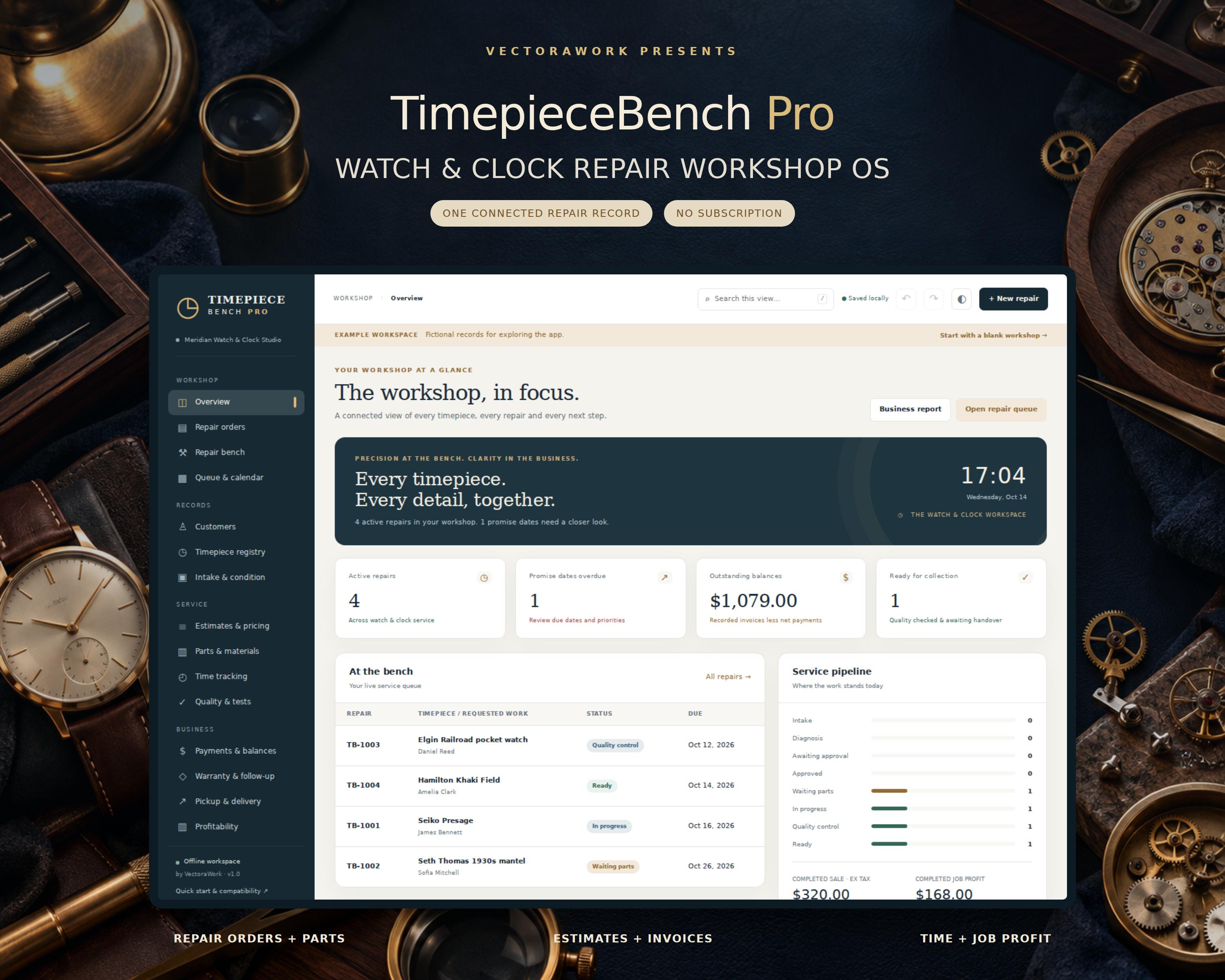
Keep every watch and clock repair together - from the first intake note to the final handover. Offline Simple Useful Watch Repair Tracking Software - TimepieceBench Pro TimepieceBench Pro is an offline workshop management app for independent watchmakers, clock repairers and small horology studios. Open the HTML file in your desktop browser, enter your workshop details and manage customer records, repair orders, parts, time, estimates, payment records and quality notes
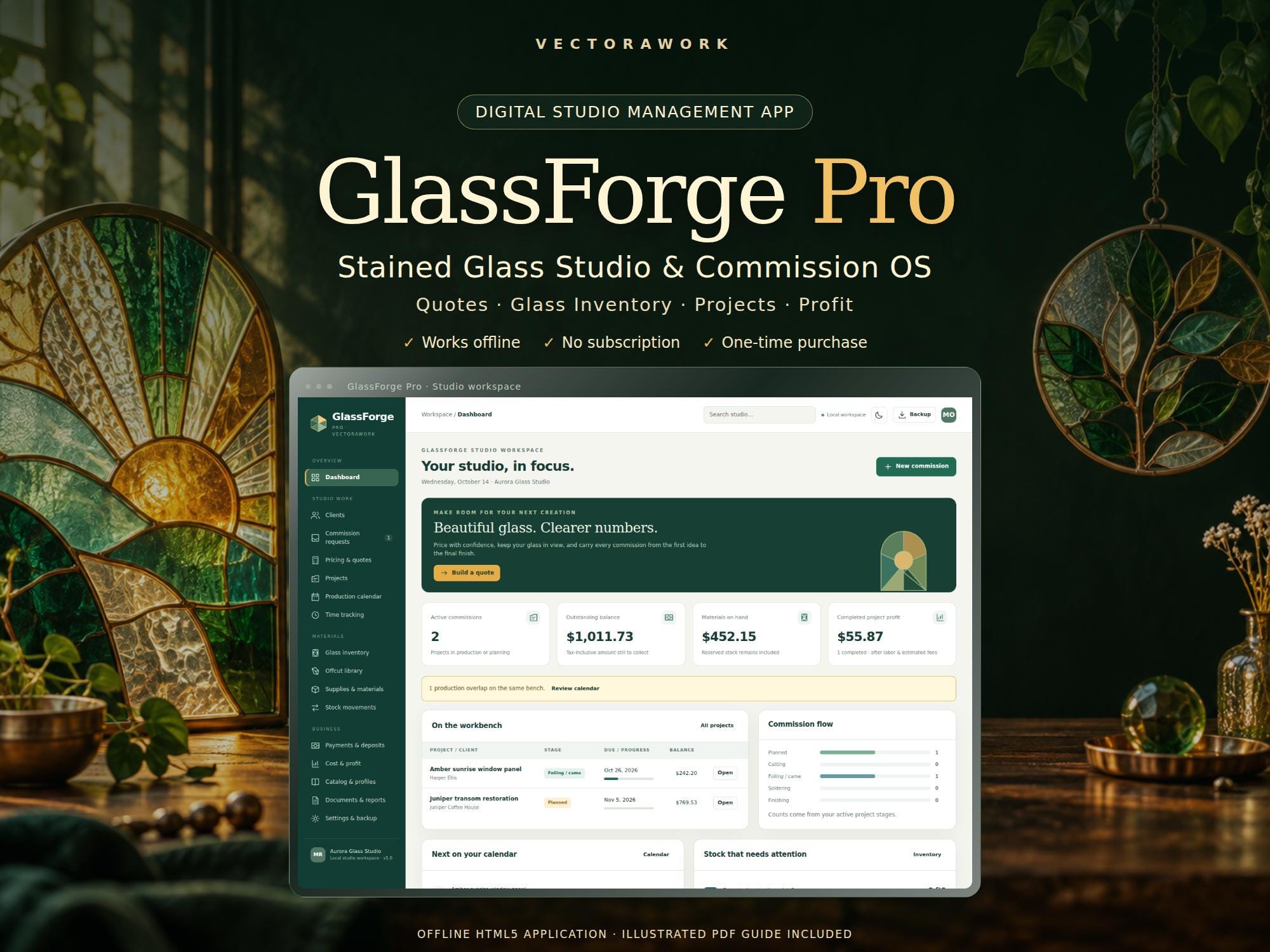
Beautiful glass. Clearer numbers. GlassForge Pro is a stained glass studio and commission management app for independent artists, suncatcher makers and small glass studios. Build a detailed quote, turn it into a project, reserve your materials and see what the finished work actually earned after recorded labor and estimated selling fees. This is an instant digital download containing an offline
We would like to use Google Analytics to understand how visitors use our public pages. It is optional. No Google Analytics requests are sent unless you choose Accept. You can change your choice at any time. Privacy Policy · Cookie Policy