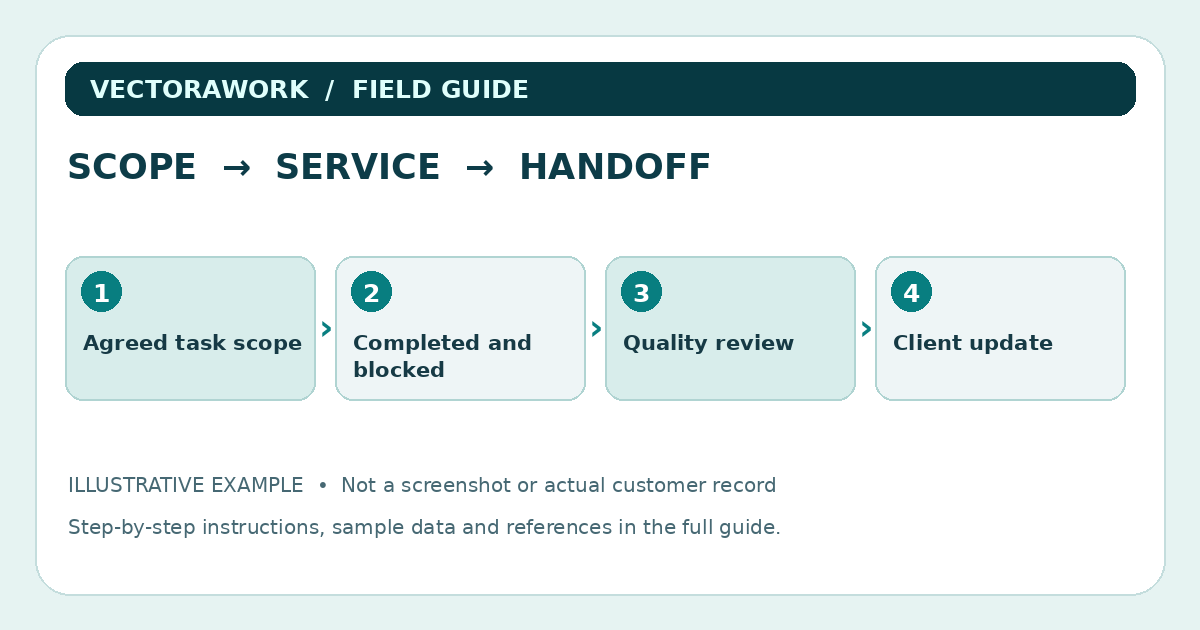
A cleaning crew can complete every familiar task and still disappoint a client when the agreed scope was different. Quality control begins before anyone opens a supply bag: what exactly was promised, which rooms are included, what exclusions apply and who will verify completion? This guide focuses on documenting a routine fictional service visit. It is not a chemical handling manual, sanitation certification or substitute for workplace safety procedures.
Separate the service scope from the checklist
A client may book a 'standard clean' but expect refrigerator interiors, carpet extraction or high-level window work. Instead of defining scope by an ambiguous label alone, confirm what is included, excluded and conditional. A completion checklist should reflect the actual booked scope, not a one-size-fits-all marketing template.
Create three categories: Included tasks, Out-of-scope requests and Needs clarification. Use specific verbs and observable completion conditions. 'Bathroom cleaned' is vague; 'countertop wiped with product suitable for surface, waste removed and approved fixtures checked' gives the reviewer something clearer to verify. Do not turn these examples into chemical instructions; product selection and safety practices follow actual training and manufacturer directions.
A six-part job record
A modest job record can capture:
- Job reference, service date and authorized site/contact identifier.
- Agreed type of visit and written scope version.
- Assigned worker or crew and actual arrival/departure where operationally relevant.
- Task list with Done, Not applicable, Unable to complete and Needs review states.
- Exceptions, reason, approved response and person responsible for follow-up.
- Internal quality review and client-facing completion summary.
Avoid putting alarm codes, full client travel details or other unnecessary security information in a widely shared completion checklist. Store sensitive access instructions separately with restricted permissions.
Fictional example: two-bedroom recurring visit
A hypothetical business, Cedar Lane Services, schedules a two-bedroom recurring visit. The scope covers common-area surfaces, floor cleaning, one bathroom and an agreed kitchen touch-up. Oven interior and window exteriors are excluded. The crew arrives at 10:05 a.m. and leaves at 11:38 a.m.
The kitchen work is complete. One bedroom is not accessible because the door is locked. Rather than marking all rooms complete, the crew records `Bedroom 2 — unable to access`, notes the agreed scope impact and assigns follow-up to the office coordinator. The client-facing summary says that the kitchen, bathroom, first bedroom and common areas were serviced, while the second bedroom could not be accessed. The business then confirms whether a return visit, revised invoice or no further action is appropriate under its actual contract.
No claim is made that the visit was '100% complete.' This is a fictional teaching example designed to show how exception status helps prevent inaccurate completion claims.
A room-by-room format that can grow
Organize a checklist by the work actually delivered. For a recurring residential visit, possible headings are Entry / Common Areas, Kitchen, Bathroom, Bedrooms and Exit Review. Each heading should contain only agreed tasks. A commercial office job would have different sections and may require site-specific risk assessment and access controls.
At the end of each area, include a small exception note rather than a lengthy free-text field for every checkbox. Too many text fields can turn a quick job into an administrative burden. But a missing exception field makes it difficult to distinguish an overlooked task from one that was intentionally deferred.
Safety checks belong beside, not inside, sales promises
Cleaning and disinfecting are not interchangeable. CDC guidance explains that routine cleaning removes dirt and many germs, while disinfection may be appropriate in specific circumstances. Cleaning agents and disinfectants must be selected and used according to product labels, surface compatibility and relevant safety guidance. Never mix chemicals simply because a checklist says a surface should be disinfected.
A quality-control form might ask whether the crew followed the site's approved cleaning procedure, used appropriate protective equipment and documented any restricted area. It should not offer unverified dilution ratios or promise that a routine home service meets a health-care infection-control standard.
For businesses employing staff, review applicable training, hazard communication and workplace requirements separately. This article provides a documentation pattern, not training on exposure controls, safe chemical mixing or local regulatory compliance.
Record exceptions with a next action
Every incomplete task should have a disposition. Useful categories include Not applicable, Client declined, Access unavailable, Condition outside scope and Supervisor review. Choose only the categories your business can define consistently. An exception note needs the affected task, brief reason, any approval and who will follow up.
For example: `Task: bedroom 2 floor; status: unable to access; reason: locked door; next action: office coordinator contacts client before next service`. The note is useful because it names the unfinished task and assigns the next step. An unlabeled red icon in a dashboard is not sufficient on its own.
Photos and before-and-after claims
Photographs can help document a specific exception when the client authorizes them, but they should not become default surveillance of every home. Do not include personal documents, family pictures, entry codes or unrelated possessions when a tightly framed image of the affected surface would suffice. Keep an accurate link between photo, job reference, date and the person who captured it.
If you use before-and-after images for marketing, obtain the necessary permission and ensure they represent the actual service described. An unrelated stock image is not proof of work and should never be presented as a genuine customer job.
Inspect the work without repeating every task
A reviewer should focus on the agreed results and exceptions. Choose a practical, risk-aware sample of completed items plus every unresolved exception, rather than mechanically checking every box with no purpose. For a small team, the worker can perform a self-check, and the office can periodically inspect reports or follow up with consented clients. Do not label the process an independent audit unless it truly is one.
Metrics such as rework requests, repeated exceptions and missed-scope complaints can be helpful if defined and measured consistently. Avoid announcing an improvement percentage based only on fictional records. Record real baseline data before claiming that a new software tool saves time or improves service quality.
Client handoff should be specific and modest
Send a concise note describing the completed scope and known exceptions. Say which action is requested, if any. Do not confuse an automatic 'job complete' event with client acceptance where the contract requires separate approval. Payment, complaint handling and dispute processes must follow the applicable agreement and law.
A hypothetical summary might read: “Today’s recurring service was completed in the agreed areas except bedroom 2, which was inaccessible. The office will contact you about the remaining task. Please reply through your normal service channel if anything needs review.” This is a teaching example, not an actual customer testimonial.
Test your checklist with three simulated jobs
Create fictional examples for a normal recurring clean, a partial access problem and a client-requested addition outside scope. Have an uninvolved reviewer read each result and identify the next action. If the reader mistakes the partially completed visit for a fully completed one, change the status labels before adopting the form.
Check that the job ID stays linked when exporting data to CSV. Make sure sensitive fields are not unintentionally included in customer-facing reports. Use the Workflow Time & Cost Calculator to estimate the administrative time required to complete the new process, with clearly stated assumptions rather than promises of guaranteed savings.
Download the invented checklist rows: Cleaning quality-control CSV. No real client or property data is included.
The concise quality-control checklist
- Confirm the booked work scope and exclusions before starting.
- Mark tasks according to observed completion, not assumptions.
- Record access or scope exceptions and assign the next action.
- Follow approved safety training and the manufacturer's product instructions.
- Keep customer communications accurate and protect unrelated private information.
- Retain only necessary records according to appropriate contractual and legal requirements.
The goal is a shared understanding of work promised, work performed and what still needs attention. A clean, repeatable record is more valuable than a dashboard full of green checkmarks with no evidence behind them.
Practical takeaway
Link each cleaning task to the booked scope, record exceptions and approvals, and provide an honest client handoff without overclaiming completion or safety certifications.
Sources and further reading
External references relevant to this guide. We encourage you to check current primary documentation.
Published by VectoraWork Editorial. This is general educational information, not individualized legal, tax, financial, employment or security advice. Request a correction.