A procedure can be as short as a page and still prevent expensive misunderstandings. The difficulty isn't writing down every possible step. It's making the next action obvious to the person who has to do the work, including the awkward moments when something goes wrong.
For a small cleaning company, a pet-care service, a consultant, or a one-person operations team, a standard operating procedure (SOP) is simply a repeatable way to complete a task. It states the trigger, the owner, the steps, the evidence of completion, and the exception route. It does not have to look like a corporate policy binder.
This guide develops an SOP for client handoff after a completed service visit. The example company and records are fictional. You can adapt the same structure for booking confirmation, invoice review, supply replenishment, or employee onboarding.
Start with one recurring problem, not a full handbook
Before opening a document, ask the person who actually does the work: “Which task regularly leads to a second call, a missing document, or a client asking what happened?” Choose one task where those interruptions are visible. If nobody can describe when a procedure would be used, it's probably not the first SOP to write.
Use a single sentence to define the process:
When a service visit ends, the assigned worker records the outcome, flags anything incomplete, and sends the approved client update before the end of the workday.
This statement is narrow enough to test. It makes room for different businesses to set their own response times, without pretending there is one universal legal or commercial requirement.
The seven fields in a useful one-page SOP
The attached CSV worksheet includes these fields. You can print it or import it into a spreadsheet.
- Name and version: “Visit completion and client handoff,” version 1.0.
- Trigger: A scheduled service visit is completed, cancelled, or interrupted.
- Owner: The worker responsible for the visit, with a named backup.
- Required inputs: Booking reference, client-approved contact method, and the agreed task checklist.
- Steps: The smallest sequence that another trained person can follow.
- Proof of completion: A time-stamped visit record and a client update, where appropriate.
- Exception and review: Who decides when a task was not completed, and when the procedure should be revised.
Avoid writing “do the job correctly” as a step. It doesn't tell anyone what to do or what completion looks like. Replace it with a verb and an observable result, such as “mark each agreed task done, not done, or not applicable.”
Worked example: a fictional service handoff
Imagine a two-person business called Harbor Field Services. Its clients receive routine on-site visits. The owner wants employees to send consistent updates without sharing more personal information than necessary.
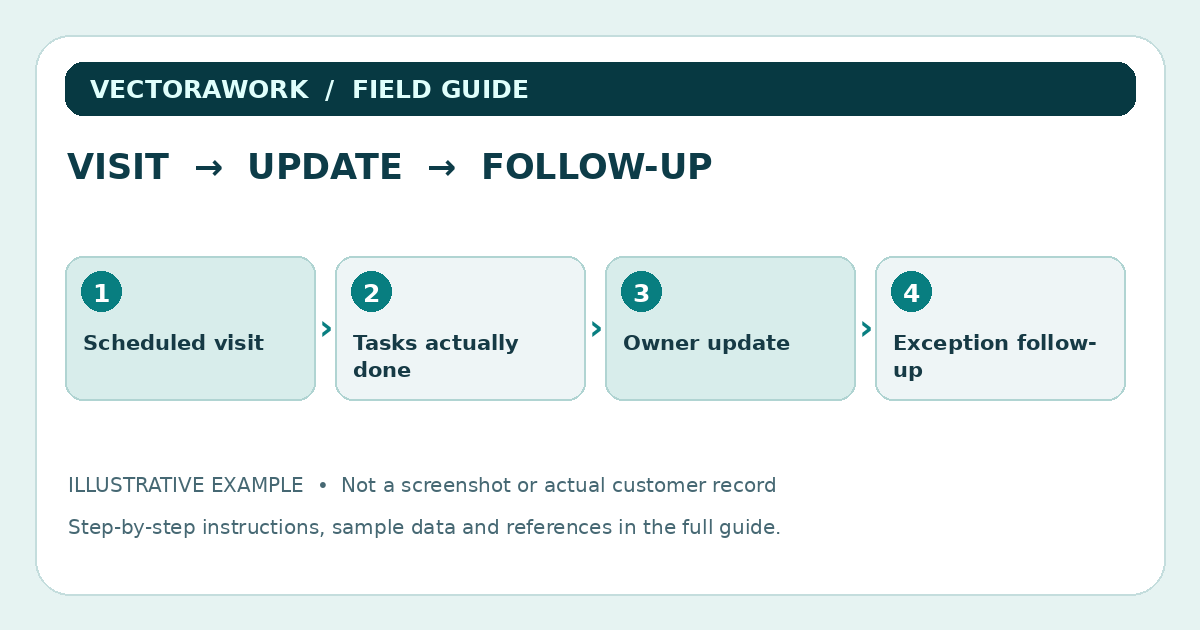
The handoff procedure has six steps:
- Confirm the booking. Open the correct visit record using a reference number, not a guess based on client names.
- Mark outcomes. For each agreed task, choose completed, incomplete, or not applicable. Record a short reason for any incomplete item.
- Check safety and privacy. Do not attach identification documents, passwords, payment details, or photographs the client did not authorize.
- Record exceptions. If the worker cannot complete an agreed task, notify the designated supervisor and document the next decision.
- Send the client update. Use the contact channel agreed with the client and say what was completed, what remains open, and who will follow up.
- Close the record. Confirm that the update was sent and the record is stored in the designated system with appropriate access controls.
The SOP is not a promise that all six steps will happen instantly. It is a way to expose delays and find out why they happen.
A sample record might read:
- Visit reference: `DEMO-2048`
- Date: October 14, 2026
- Assigned worker: Team Member A
- Agreed tasks: 4
- Completed tasks: 3
- Incomplete task: 1 — replacement part unavailable
- Escalation: Supervisor informed at 3:20 p.m.
- Client update: Sent through the approved channel at 3:35 p.m.
- Follow-up: Schedule replacement after confirming stock
These details are invented for illustration, not copied from a real customer.
Build exceptions into the workflow
Many process documents describe only the ideal case. But the most useful part of an SOP is often a short sentence that explains what to do when the normal path fails.
Include at least three types of exception:
- Missing information: Pause the affected step and ask for the missing detail; don't invent an answer.
- Unexpected work or cost: Get the appropriate authorization before changing the scope.
- Privacy or safety concern: Stop the affected action and follow the company's incident or escalation procedure.
A process that keeps moving when it should stop is not well controlled. For safety-sensitive work, an SOP is not a substitute for legally required training, site-specific risk assessment, or applicable safety procedures. OSHA's guidance on training workers for their specific roles is relevant to businesses that face workplace hazards; the exact obligations depend on the work. See the source section below.
Use only the client information you really need
The easiest spreadsheet sometimes becomes a place to accumulate information nobody has a reason to keep. Resist that temptation.
For a routine visit update, a booking reference and authorized communication channel may be enough. Do not automatically ask for a date of birth, ID scan, full payment card details, or details about household members just because a template has room for them. If a particular service legally or operationally requires more data, document the reason and apply appropriate protection and retention rules.
This principle matches the FTC's business guidance: identify the information you hold, minimize unnecessary collection, protect what is retained, and dispose of it securely when no longer needed. An SOP should indicate where records are stored and which roles can access them. It should not place sensitive customer data inside the SOP document itself.
Test the page with a new team member
A procedure can look clear to its author because the author already knows the unwritten steps. Ask someone who did not write it to walk through a fictional case. Tell them not to improvise silently when a step is unclear. Have them mark the exact sentence that caused the uncertainty.
During the test, check four things:
- Findability: Can the person locate the current version in under a minute?
- Clarity: Can they tell what triggers the process and when it is complete?
- Exception handling: Can they identify the person to contact when work changes?
- Record quality: Does the example log contain enough information for the next person to continue?
For a first pilot, test five fictional or low-risk scenarios. Include at least one case where everything goes as expected and one where work cannot be finished. Track questions and missing steps rather than treating the first document as final.
Measure whether the SOP helps
Do not claim “the new SOP saved 30%” without actual measurement. Instead, choose a small, observable metric and a comparison window. For example, count follow-up clarification emails per 20 service visits before and after the change.
Suppose Harbor Field Services counted 12 clarification emails across 40 visits before the SOP, and 7 across 40 comparable visits afterward. That's a change from 0.30 to 0.175 clarification emails per visit, a reduction of about 41.7% in that specific hypothetical measure. It is not evidence that the SOP causes the same result elsewhere; staff experience, task mix, and client expectations may differ.
You could also measure the proportion of visits with an update sent, the average time to close incomplete tasks, or the number of corrections needed before a report is usable. Choose one or two. A dashboard filled with metrics nobody reviews creates more work than it saves.
VectoraWork's Workflow Time & Cost Calculator can help illustrate the time value of an administrative change, as long as you make your assumptions explicit. It is a planning tool, not proof of realized savings.
Version control without bureaucracy
A document that changes every week without explanation is hard to trust. Add a short revision note at the bottom: what changed, why, who approved it, and the effective date. Archive superseded versions so workers don't accidentally follow conflicting instructions.
For a small team, a reasonable review trigger is a changed service offering, repeated exceptions, a new privacy or safety concern, or feedback from the people following the SOP. You do not need to change the publication date merely to appear current to search engines. A revision date should reflect an actual revision.
If the process depends on software, test exports and backups separately. “We can open the form today” does not prove the records will remain recoverable after a browser reset or device failure. See VectoraWork's browser storage and backup guide for a related explanation.
Download the one-page SOP worksheet
Use the companion CSV as a starting structure: One-page SOP example CSV. The sample names and references are fictional. After adapting it, store your real operating procedures in a controlled location with appropriate permissions.
Before deploying the SOP to your team, confirm that each step reflects how your business actually works. Obtain qualified legal, safety, tax or regulatory advice when the task requires it.
Sources and further reading
- U.S. Federal Trade Commission — Protecting Personal Information: A Guide for Business. Guidance on identifying, limiting, safeguarding and disposing of business-held information.
- U.S. Federal Trade Commission — Cybersecurity for Small Business. Practical considerations for restricting access, backups and staff awareness.
- OSHA — Safety Management: Education and Training. Training, role clarity and work-specific responsibilities in safety programs.
- NIST — Small Business Cybersecurity Corner. Background resources on protecting small-business systems and information.
Editorial note: This guide offers a generic operational planning example, not legal, professional safety, tax or compliance advice. The fictional company and numerical example illustrate a method, not independent research findings.
Practical takeaway
A seven-field one-page SOP with an observable completion record, exception path and fictional service-handoff example.
Sources and further reading
External references relevant to this guide. We encourage you to check current primary documentation.
Published by VectoraWork Editorial. This is general educational information, not individualized legal, tax, financial, employment or security advice. Request a correction.